 Nova
NovaNovaAPI Documentation
One OpenAI-compatible API for frontier Chinese models — DeepSeek V4 native, plus Claude-compatible endpoints for Claude Code & the Anthropic SDK.
We call DeepSeek's official API directly, on pay-as-you-go billing, with multi-path upstream routing and automatic failover. No expiry date on our upstream access, and no shared or one-off key pool. We are not the cheapest — the cheap ones are cheap because they are temporary.
Quick Start
If you have ever used an OpenAI-compatible API, you already know how to use NovaAPI: point your client at our base URL, use your key, pick a model.
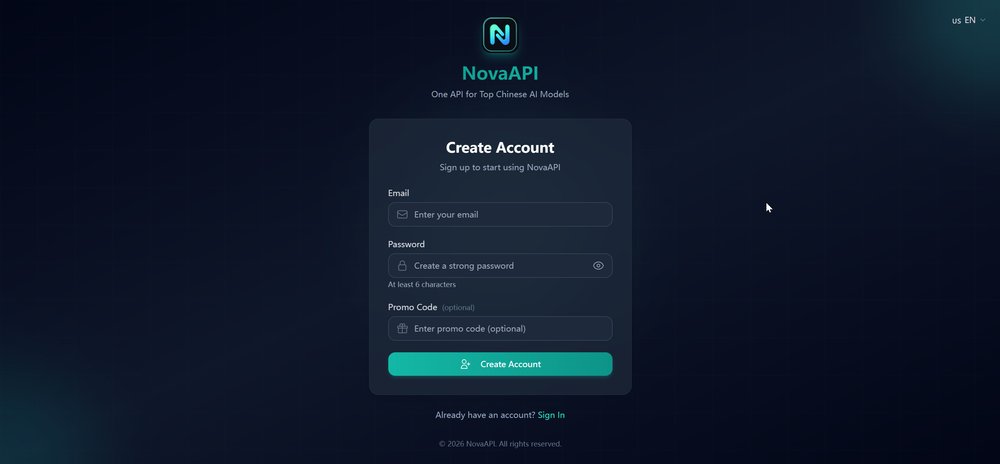
1. Create your account
- Open https://api.lbase.com/register.
- Enter your email and a password (min. 6 characters).
- That's it — no Chinese phone number, no ID verification, no credit card required to register.
- Your balance is credited with $1 of free credit automatically, so you can create a key and send real requests before paying anything.
2. Top up your balance
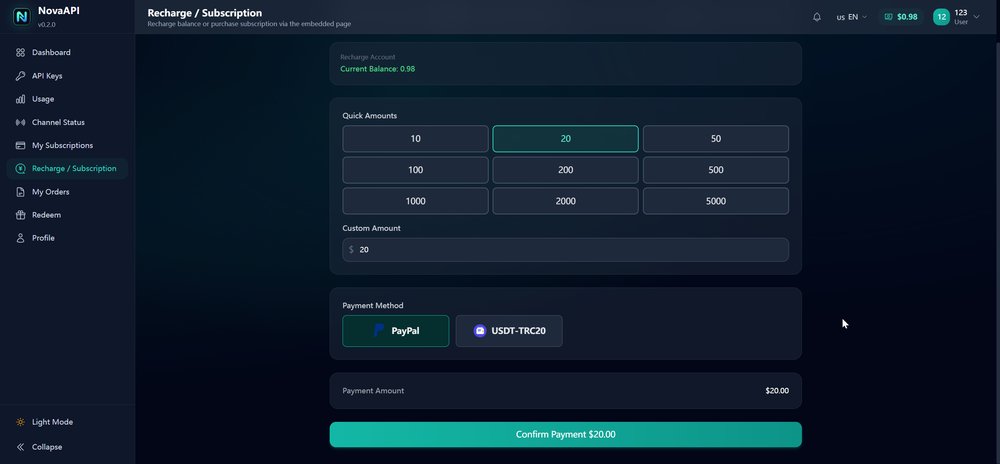
NovaAPI is pay-as-you-go: you prepay a USD balance, and every request deducts from it by tokens used. No subscription.
- Log in and open Balance / Top Up (or click a quick amount).
- Choose a payment method:
- PayPal — you'll be redirected to PayPal to approve the payment.
- USDT (TRC20) — you'll get a TRON address; send USDT from any TRC20 wallet (keep a little TRX for network fees).
- Your balance is credited with the exact amount received once the payment confirms.
• Any amount is fine. We credit the exact on-chain amount received — if your exchange deducts a withdrawal fee and less arrives, that smaller amount is what lands in your balance. You do not have to match the order amount exactly, and paying less than your order does not lose the payment.
• Do not split it into several transfers. Only the first transfer is matched automatically; extras may need manual handling.
• Transfers that arrive after the order expires (or before you create an order) are not matched automatically. Our chain monitoring catches these within 30 minutes and we credit them manually — just email service@lbase.com with the transaction hash.
3. Create an API key
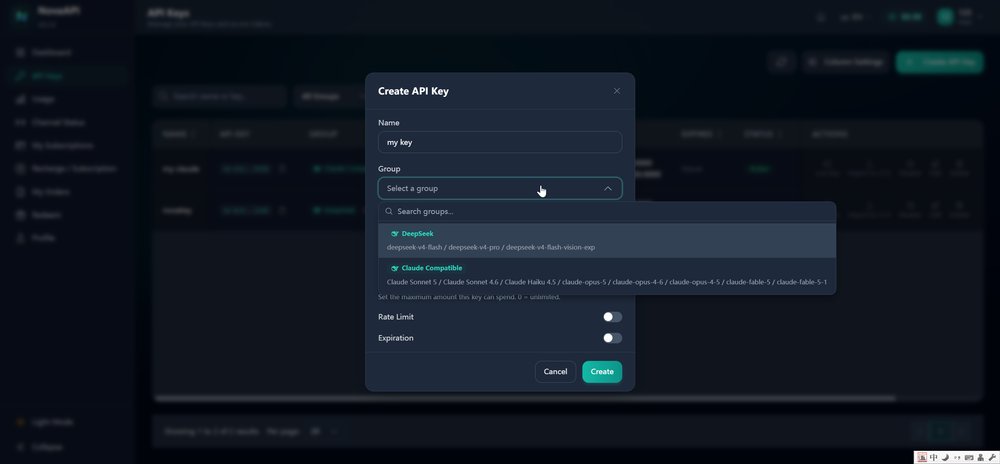
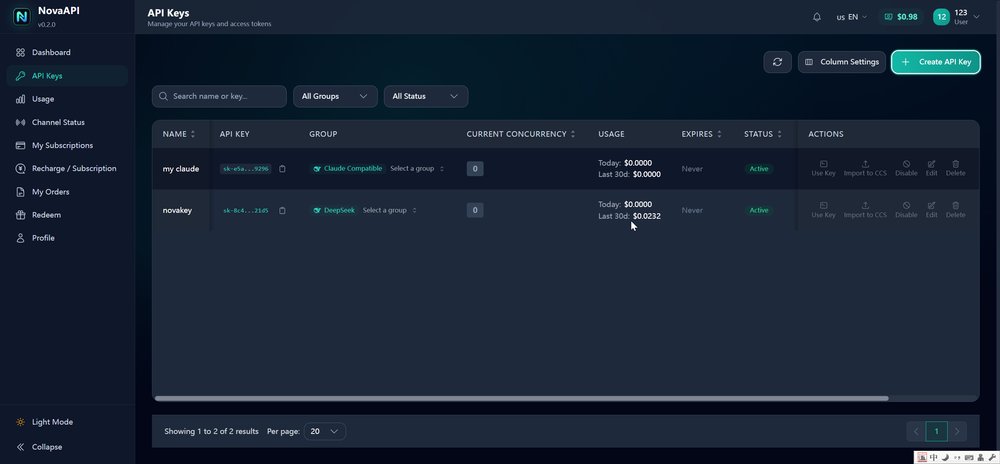
- Open API Keys → Create Key in the console.
- Give it a name (e.g.
my-app). - Select a group (channel):
- DeepSeek — native model names (
deepseek-flash,deepseek-v4-pro).deepseek-flashalso accepts image input. Requests are served by the latest DeepSeek V4.1 Flash engine (V4 Pro traffic is auto-routed to V4.1 Flash by the upstream provider). - Claude Compatible — Claude model names (Sonnet / Haiku / Opus / Fable) routed to our DeepSeek backends, for Claude Code & Anthropic SDK users.
- DeepSeek — native model names (
- Copy the
sk-...key. It is shown only once — treat it like a password.
Base URL
Use this endpoint everywhere a tool asks for an API address:
https://api.lbase.com/v1Anthropic-format clients (Claude Code, Anthropic SDK) point at the root host — they append /v1/messages themselves:
https://api.lbase.comHello world
# cURL
curl https://api.lbase.com/v1/chat/completions \
  -H "Authorization: Bearer sk-your-key-here" \
  -H "Content-Type: application/json" \
  -d '{
    "model": "deepseek-flash",
    "messages": [{"role": "user", "content": "Hello!"}]
  }'
# Python (OpenAI SDK)
from openai import OpenAI
client = OpenAI(
api_key="sk-your-key-here",
base_url="https://api.lbase.com/v1",
)
resp = client.chat.completions.create(
model="deepseek-flash",
messages=[{"role": "user", "content": "Hello!"}],
)
print(resp.choices[0].message.content)# Node.js (OpenAI SDK)
import OpenAI from "openai";
const client = new OpenAI({
apiKey: "sk-your-key-here",
baseURL: "https://api.lbase.com/v1",
});
const resp = await client.chat.completions.create({
model: "deepseek-flash",
messages: [{ role: "user", content: "Hello!" }],
});
console.log(resp.choices[0].message.content);Connect your tools
NovaAPI speaks both the OpenAI and Anthropic protocols, so it works with almost any AI tool that lets you set a base URL. Below are the most popular setups.
Claude Code (terminal coding agent)
Claude Code is Anthropic's CLI coding agent. Point it at NovaAPI with two environment variables — or, more reliably, with its config file:
# Option A — environment variables (Linux / macOS)
export ANTHROPIC_BASE_URL=https://api.lbase.com
export ANTHROPIC_AUTH_TOKEN=sk-your-key-here
export ANTHROPIC_MODEL=deepseek-flash

claude
# Option B — ~/.claude/settings.json (applies to every session, most reliable)
{
"env": {
"ANTHROPIC_AUTH_TOKEN": "sk-your-key-here",
"ANTHROPIC_BASE_URL": "https://api.lbase.com",
"ANTHROPIC_MODEL": "deepseek-flash"
}
}- Use a Claude Compatible group key if you want to keep the default Claude model names (
claude-sonnet-5etc. work out of the box). - You can also use a DeepSeek group key and set
ANTHROPIC_MODEL=deepseek-flash(ordeepseek-v4-pro). - Claude Code prints a harmless warning that the model name is unknown to its catalog — ignore it.
After setup, launch claude in your terminal — you should see the model badge deepseek-flash · API Usage Billing at the bottom and normal replies. The first launch asks about the workspace folder and theme; answer them once and you're set.
Cursor
- Open Cursor → Settings → Models.
- Scroll to OpenAI API Key section → enable Override OpenAI Base URL.
- Set Base URL:
https://api.lbase.com/v1and API key:sk-.... - Add a model name (e.g.
deepseek-flash) and select it in the model picker.
In Cursor open Settings → Models, enable Override OpenAI Base URL and paste the endpoint above — then add deepseek-flash as a model.
Codex CLI (OpenAI)
Create or edit ~/.codex/config.toml (Windows: %userprofile%\.codex\config.toml):
model_provider = "novaapi"
model = "deepseek-flash"
review_model = "deepseek-flash"
disable_response_storage = true

[model_providers.novaapi]
name = "NovaAPI"
base_url = "https://api.lbase.com/v1"
env_key = "NOVAAPI_API_KEY"
# then export the key (Linux/macOS) or set in PowerShell (Windows)
export NOVAAPI_API_KEY=sk-your-key-here
# PowerShell: $env:NOVAAPI_API_KEY="sk-your-key-here"
codexSave the snippet above as your Codex config and run codex — the CLI will use NovaAPI for all requests.
OpenCode
OpenCode reads opencode.json in your project:
{
  "$schema": "https://opencode.ai/config.json",
  "provider": {
    "novaapi": {
      "npm": "@ai-sdk/openai-compatible",
      "name": "NovaAPI",
      "options": {
        "baseURL": "https://api.lbase.com/v1",
        "apiKey": "sk-your-key-here"
      },
      "models": {
        "deepseek-flash": { "name": "DeepSeek V4 Flash" }
      }
    }
  }
}
OpenAI SDK & libraries
Any OpenAI-compatible SDK works: set base_url/baseURL to https://api.lbase.com/v1 and use your key — see the Hello World examples above. LangChain, Vercel AI SDK, LlamaIndex and similar frameworks all accept a custom OpenAI-compatible base URL.
Models & pricing
Per-token pricing in USD. You only pay for what you use.
DeepSeek group
| Model | Best for | Input / 1M tokens | Output / 1M tokens |
|---|---|---|---|
deepseek-flash | Fast daily driver · accepts image input | $0.55 | $1.65 |
deepseek-v4-pro | Complex reasoning & coding | $1.65 | $4.95 |
Claude Compatible group (×3.5 list rates)
| Compatible model name | Input / 1M tokens | Output / 1M tokens |
|---|---|---|
| Sonnet & Haiku tier | ||
claude-sonnet-5 | $0.77 | $2.31 |
claude-sonnet-4-6 | $0.77 | $2.31 |
claude-haiku-4-5-20251001 | $0.77 | $2.31 |
| Opus & Fable tier | ||
claude-opus-5 | $2.31 | $6.93 |
claude-opus-4-6 | $2.31 | $6.93 |
claude-opus-4-5-20251101 | $2.31 | $6.93 |
claude-fable-5 | $2.31 | $6.93 |
claude-fable-5-1 | $2.31 | $6.93 |
Which models actually work?
Only the models listed in the tables above (and in the console when you create a key) are callable. Client apps sometimes show long historical model lists from upstream providers — those older names (e.g. deepseek-v3, deepseek-r1, distill variants) return an error if requested. When in doubt, use deepseek-flash.
Billing, limits & usage
- Balance is prepaid in USD and deducted per request; top up any time from the console.
- Minimum top-up is US$5 (USDT or PayPal). New accounts already start with $1 of free credit, which is enough to test real requests before you pay.
- Usage page shows requests, tokens and cost per key, per day.
- Rate limiting: per-key concurrency is generous; under heavy parallel load requests queue briefly instead of failing. Add more keys in the console to scale.
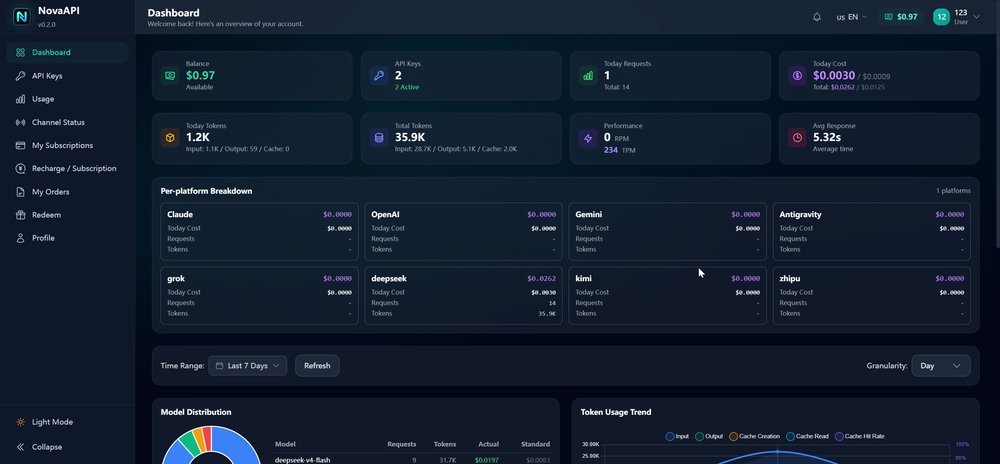
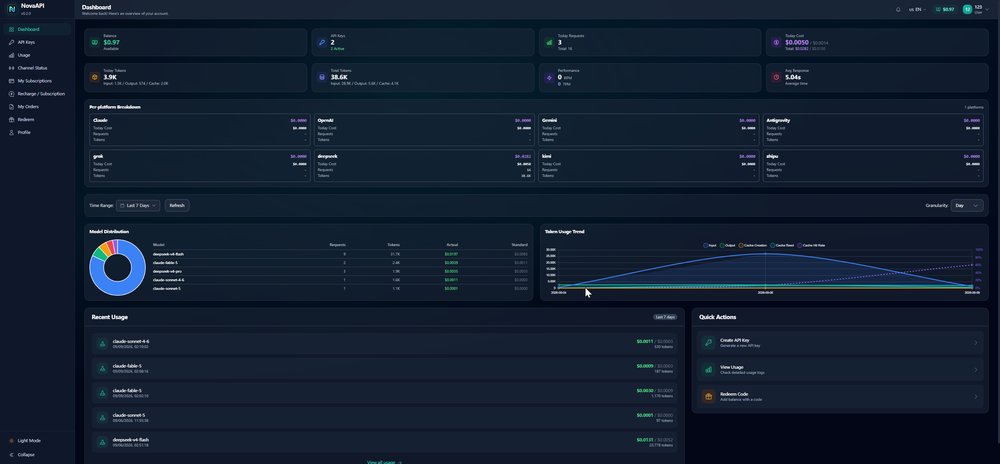
Every request is recorded per model — including Claude-compatible names, as shown in the recent usage list below (Claude Code / client requests appear with their model names and exact cost):
FAQ
Does it cost anything to try?
No. Every new account receives $1 of free credit at sign-up — enough to run real requests (hundreds of thousands of tokens on deepseek-flash). No card is required to register. When you need more, the minimum top-up is US$5 via USDT or PayPal.
Do I need a Chinese phone number?
No. Register with any email address — no Chinese phone, no ID verification, no VPN.
Is my existing OpenAI code compatible?
Yes. Set base_url to https://api.lbase.com/v1 and keep everything else unchanged.
Can I use Claude Code / Anthropic SDK?
Yes — we support the Anthropic Messages protocol at https://api.lbase.com/v1/messages. Point Claude Code at https://api.lbase.com with a Claude Compatible key (or set ANTHROPIC_MODEL to a deepseek model with a DeepSeek key).
Which models are available?
DeepSeek V4 (native) and Claude-compatible endpoints. More Chinese model families (Qwen, GLM, Kimi, MiniMax) are being onboarded and will appear in the console.
Why did my USDT top-up credit a different amount?
You are credited with the exact amount received on-chain. Exchange withdrawals deduct a fee before the transfer lands, so the on-chain amount may be lower than what you sent. Always make one single transfer for the full amount you want.
Do you offer refunds?
Top-ups are non-refundable except where required by law (see Terms). Unused prepaid balances remain available for future usage.
Where is my data processed?
Requests are forwarded to the model provider you use to fulfill them. See the Privacy Policy on our homepage. Requests are forwarded to the model provider you select. The Privacy Policy documents exactly what is stored, what is not, and for how long.
Do you have a referral program?
Yes. Every account gets its own referral link — 20% of what the people you invite actually spend comes back to you as credit. Two things worth knowing: the credit is platform credit, not cash (we don't pay out), and it only lands after your invitee's top-up actually succeeds — then it's held for 7 days before it can be used, so a reversed payment doesn't leave a phantom balance behind. You'll find your link in the console under Referral.
Do I need an invite code to sign up?
No. Registration needs only an email and a password. The ?aff= parameter in a referral link is purely attribution — it tells us who to credit, and it is never a gate.
Support
Questions or issues? Email service@lbase.com. Include your account email and, if relevant, the order or key involved.